A team of Claude Code agents on your Mac, in one chat.
Hand off real work to background subagents running in parallel, see the results as live components you can pin, and change the app itself with plugins. All local, on the claude CLI you already have.
Version 1.15.1 · macOS 14 or later · universal build (Apple silicon and Intel) · Release notes
Why Botling
A team that works while you talk
Real work goes to background subagents running in parallel, so the bot is never too busy to answer you.
Answers you can see
Charts and cards drawn right in the chat, one click from becoming a pinned chip or a Board tile.
An app that changes itself
Plugins hot-reload, and in developer mode the bot works on Botling's own source.
Nothing leaves your Mac but Claude
It drives the claude CLI you already have; chats and memory are plain markdown files.
In your language
English, 繁體中文, 简体中文, 日本語 and 한국어, and bots reply in the language you pick.
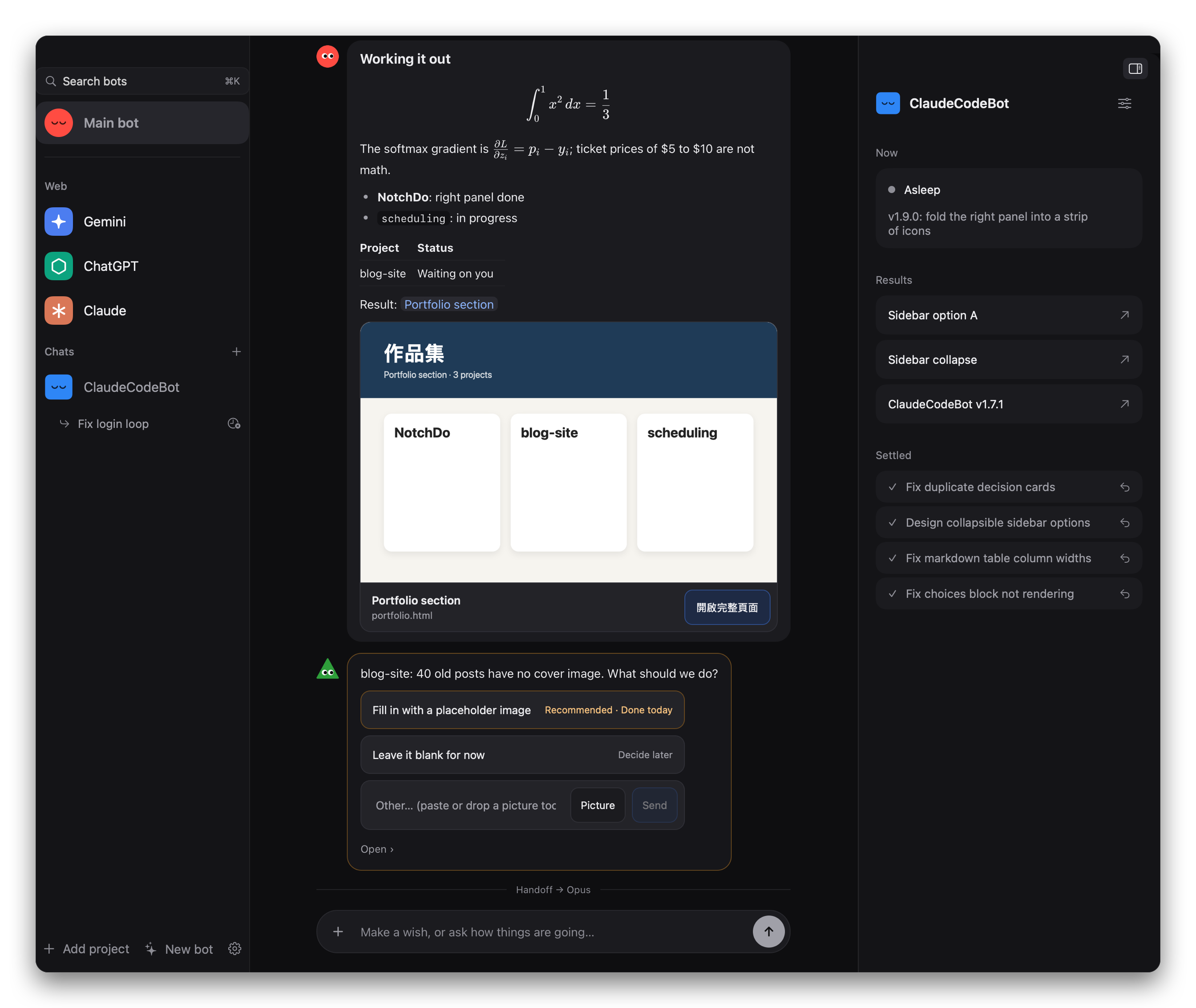
Features
Everything below is in the app today.
A background subagent team
Real work (building, fixing, researching) is handed to subagents that run in the background and in parallel, so the bot stays free to talk to you. Subagents that change code work in a git worktree of their own and merge when their tests pass.
The right panel shows each one running, then settled, and a dropped network does not lose them: they carry on where they stopped.
The chat's latest message carries one row for all background work: subagents, background commands, Monitors that watch for events, and scheduled wake-ups or cron jobs. Press an icon to see the list and each task's last lines of output.
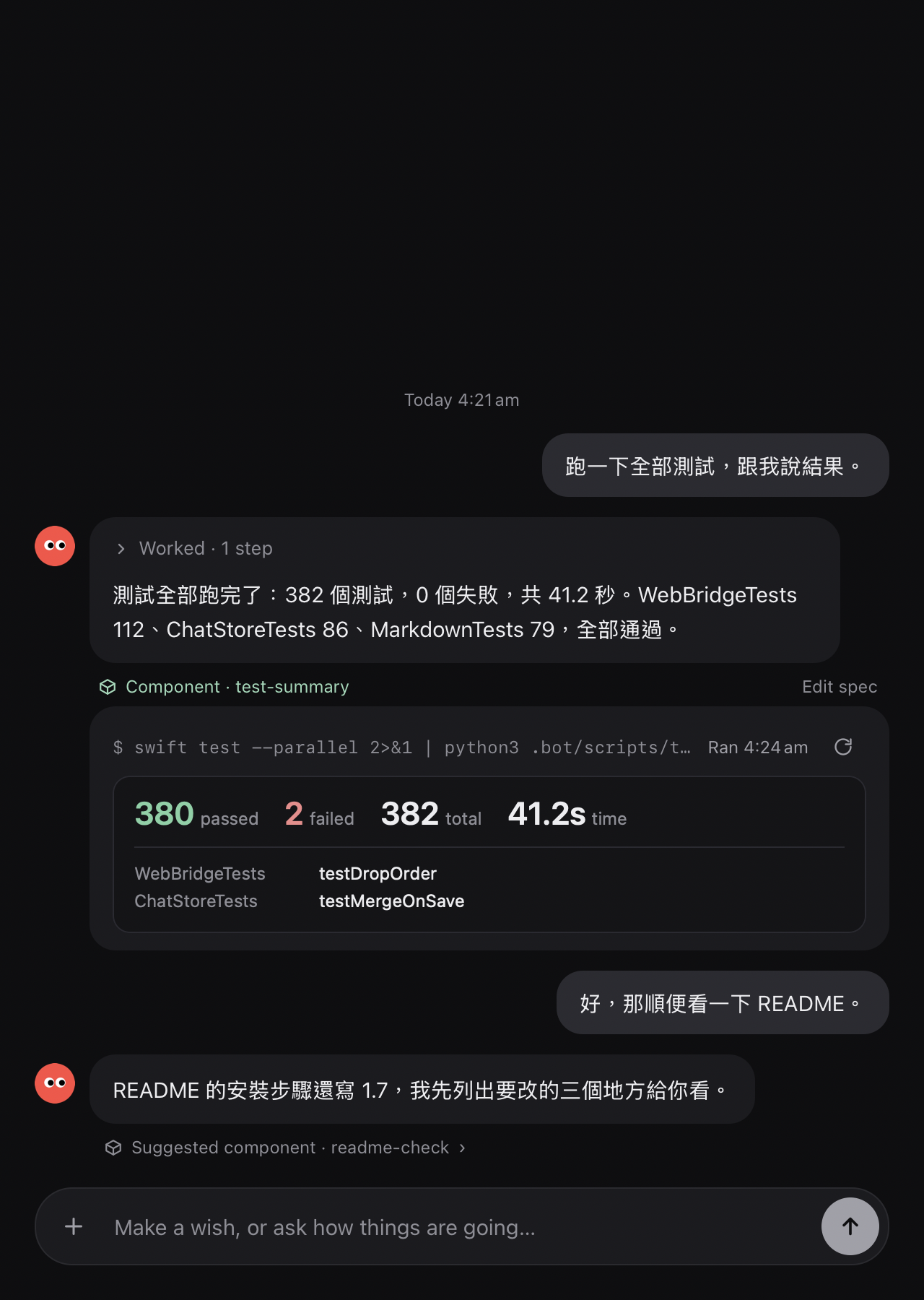
Components, pins and a Board in the chat
Bots draw small HTML components (charts, cards, test summaries) inside their replies, fed by their own data or a CLI command. Cards can be live (Refresh: every 2s), updated in place by id, and keep their own state, so a todo list's ticks survive a restart.
Pin one above the input box as a status chip, float it in a corner over every chat to watch a build, or lay pins out on a per-bot Board: a widget grid where each tile keeps its own cell.
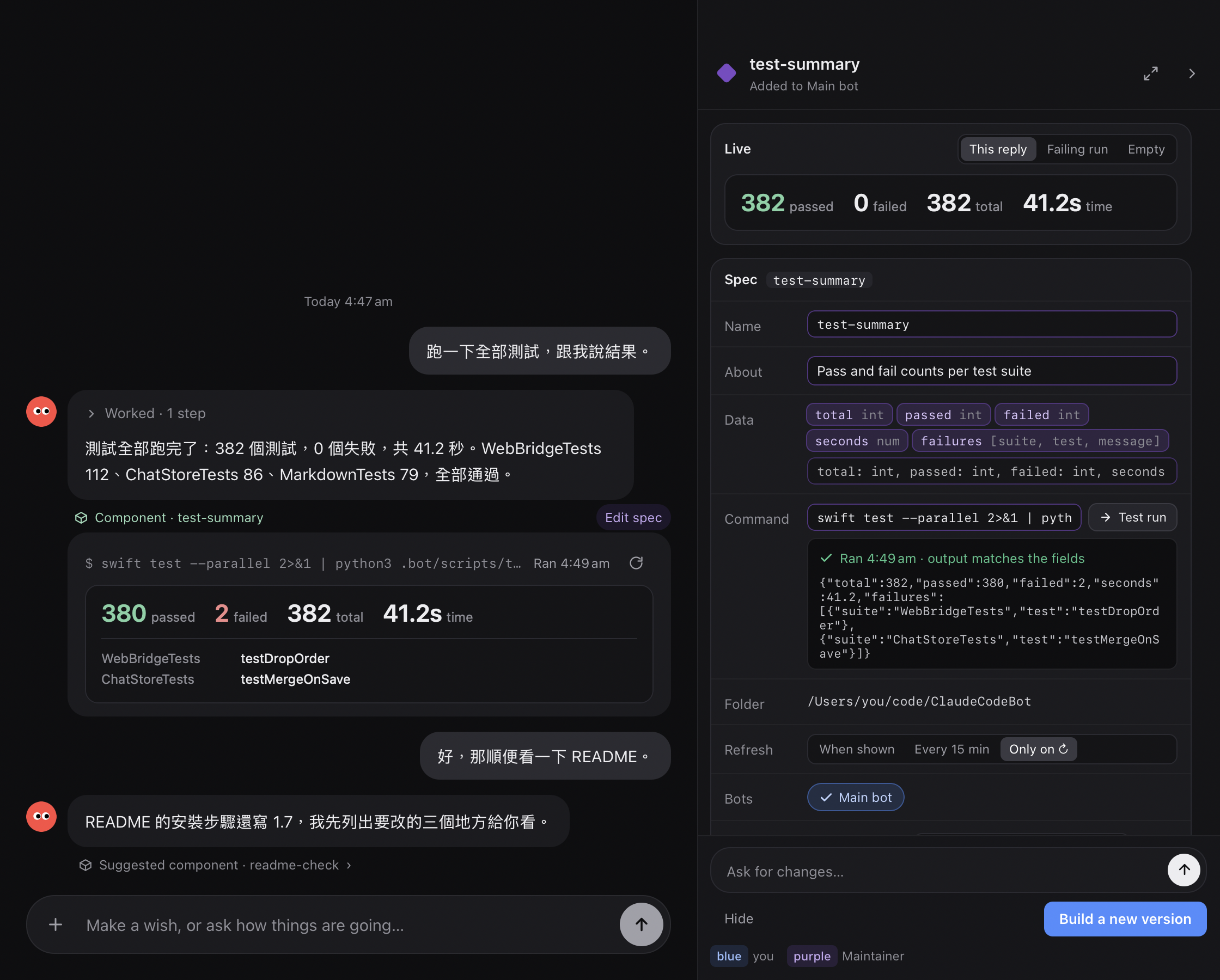
One click turns a reply into a component
Press Make into component on any reply (or the suggestion chip a bot adds when it sees something you will ask for again). The bot that wrote the reply writes a brief, and the Maintainer builds the first version from it, reusing a library component when one already does the job.
The spec panel beside the chat shows the fields, a test run, and each change as it happens.
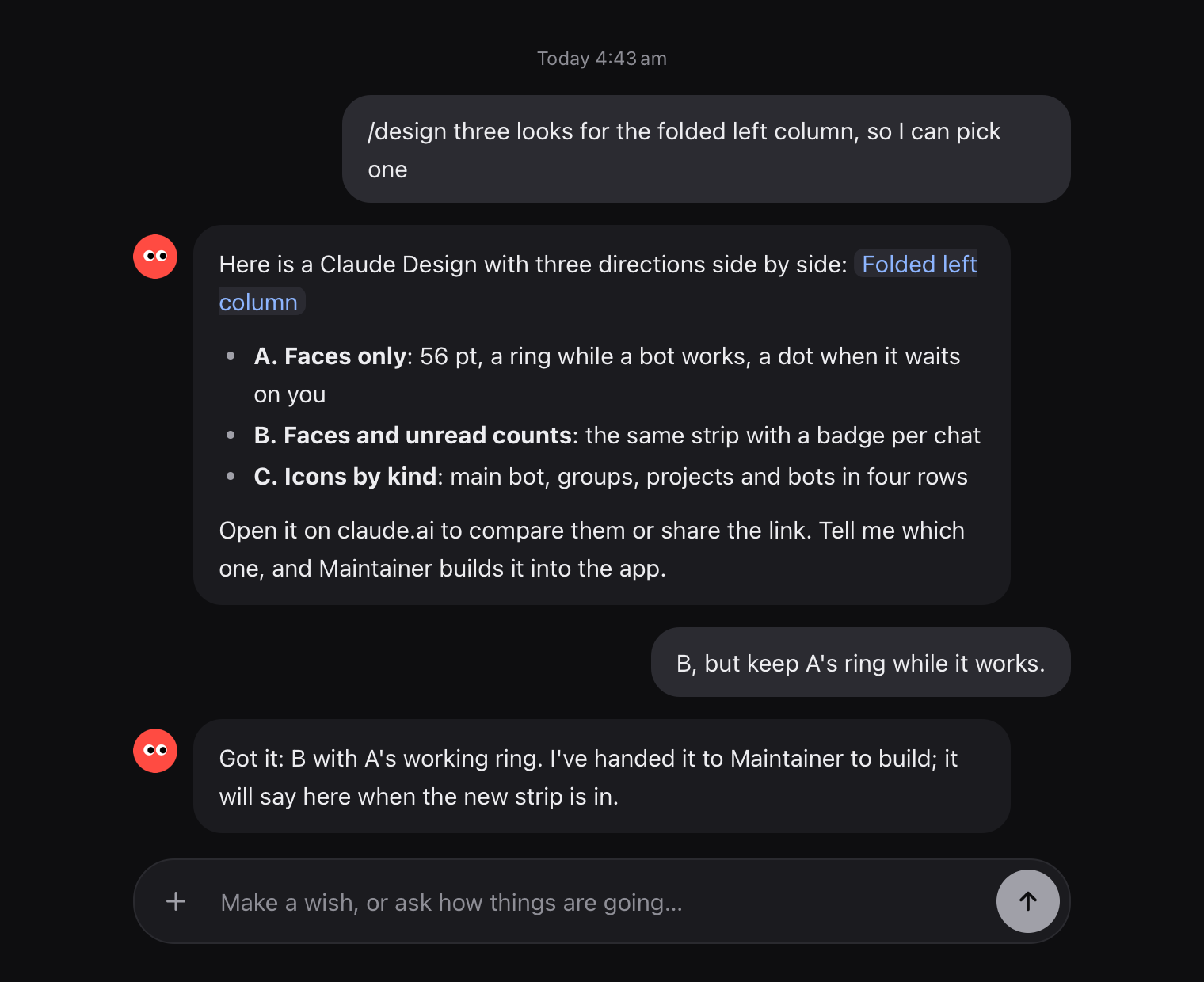
/design gives you a Claude Design to pick from
Say /design (or ask for designs to choose from) and the bot makes a Claude Design and replies with its shareable claude.ai link. Pick one and the Maintainer builds that one into the app.
Plugins and developer mode: change the app itself
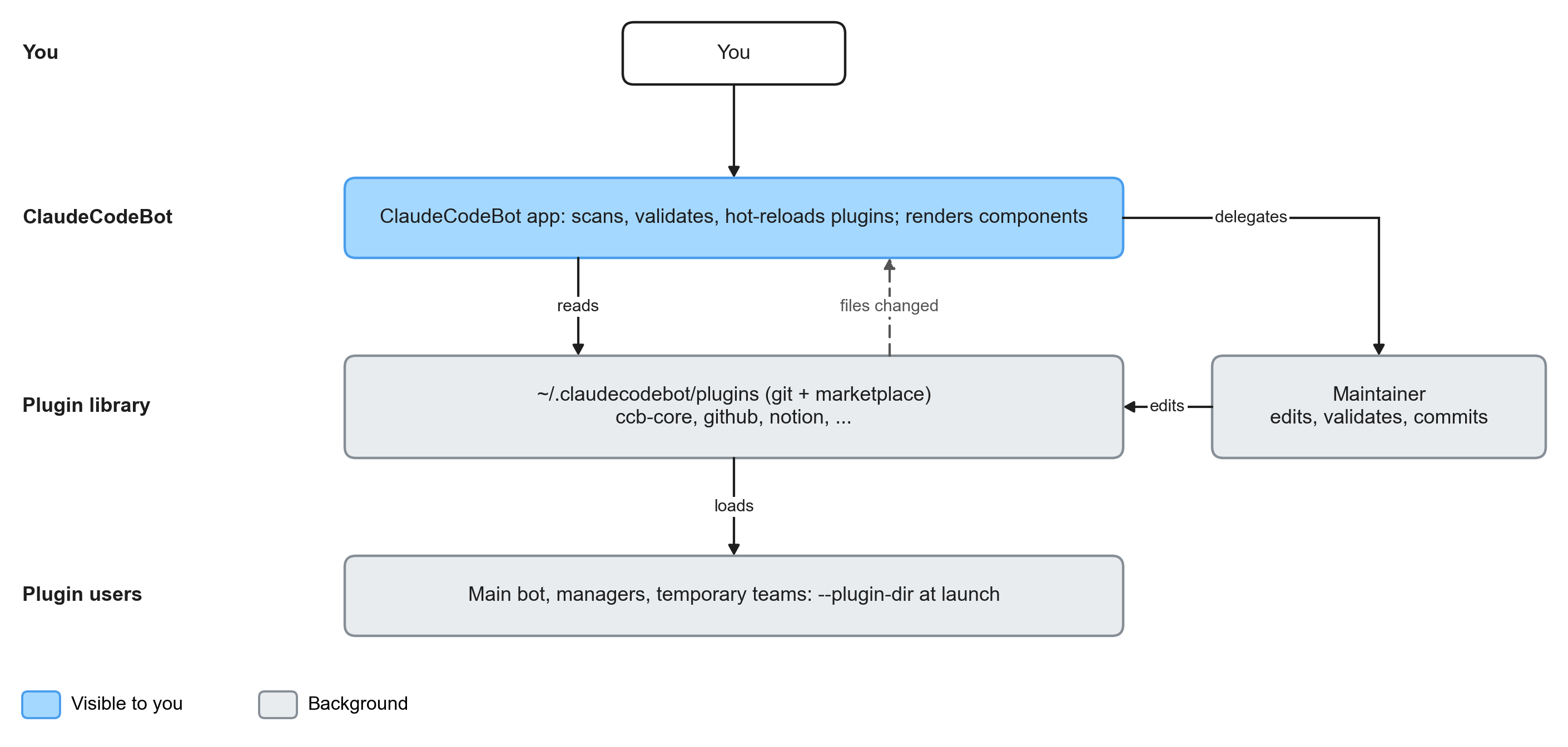
Plugins change the app VS Code style (the input box, how messages are drawn, panels, hooks, skills and MCP servers) and hot-reload when their files change, keeping the last good version if a new one breaks. Ask the Maintainer to write one for you.
Turn on developer mode and the bot works on Botling's own source: builds, installs (with rollback) and fixes what you mark “Not right”; send the change back upstream as a pull request.
Everything stays on your Mac
Botling drives the claude CLI already signed in on your Mac: no server, no account of its own. Chats, memory, routines and the plugin library are plain markdown and text files; each project's notes live in its git-ignored .bot/ folder.
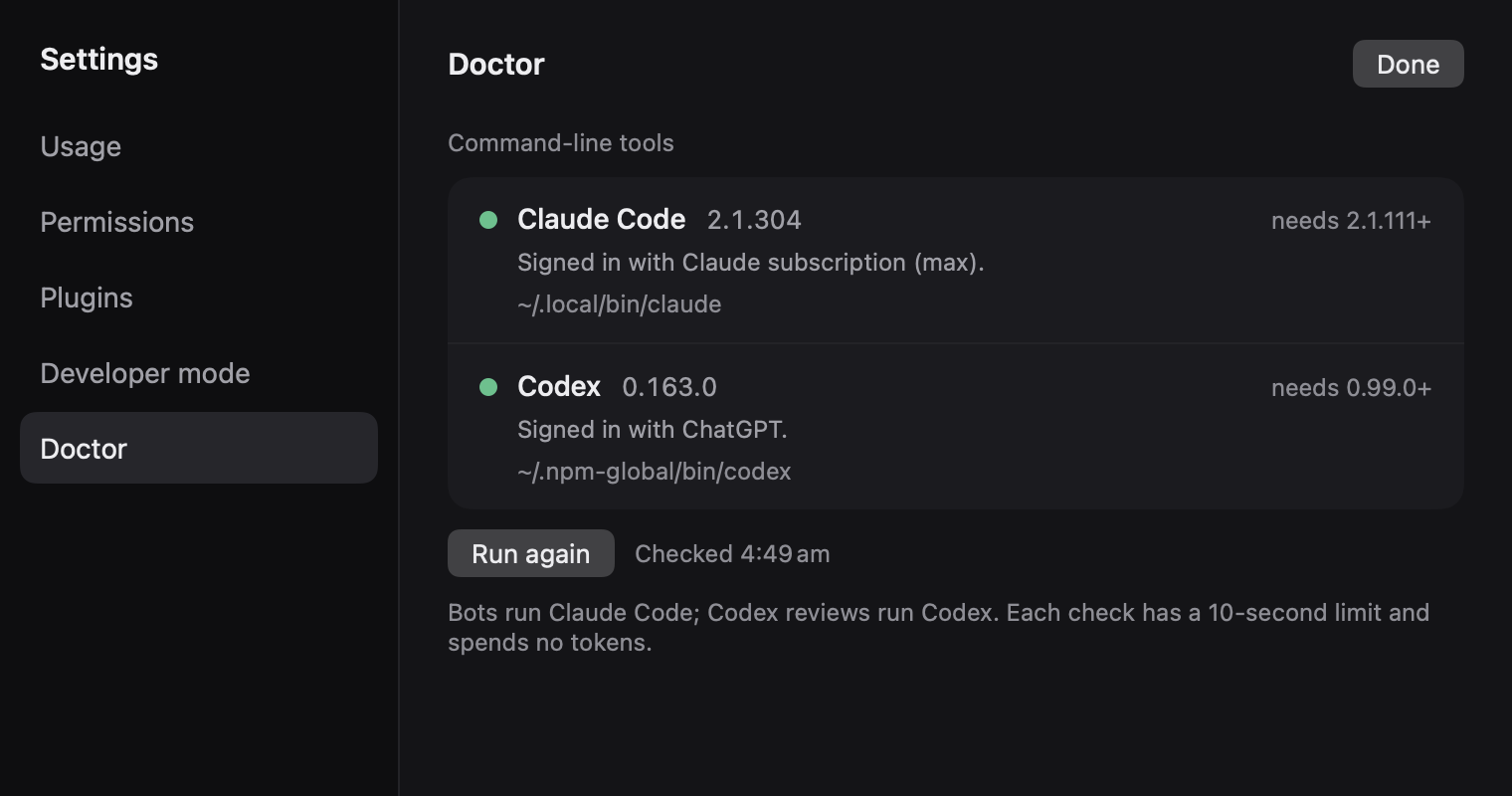
Doctor shows which claude (and codex) the bots use and how each is signed in.
And also
A main bot and one manager per project
The main bot answers “how is X going?” from each manager's memory.md, hands work over through project inboxes, and calls up a temporary research or prototype team for anything else. Make bots of your own too.
Bots that sleep
Each bot is a long-lived claude process that naps after 50 idle minutes, writing down what matters first, and wakes when you or a routine need it.
Decisions as buttons
With a recommended option and what each one costs; tool permission asks (Allow once / Always / Don't allow) in the chat, with Claude Code's auto mode on by default.
Results as claude.ai Artifacts
Reports, comparisons and previews are published as a private claude.ai Artifact and linked in the reply as a card; anything sensitive stays a local HTML page.
A rich chat
Markdown, LaTeX, tables, images, videos, attachments, replies, group chats, result pages as preview cards, and an input box that works with CJK input methods.
Call in any bot with @name
It answers in your chat and keeps the work, with its steps, in its own chat too.
Drafts that stay
What you typed but did not send stays in each bot's input box across switches and restarts.
Five languages
English, 繁體中文, 简体中文, 日本語 or 한국어 (or follow the Mac), switched at once without a restart. Bots reply in it too; what bots write and your own data are never translated.
Routines
A crontab-style routines.cron per bot, which bots edit when you ask.
Usage at a glance
Today's tokens per bot, rings for the 5-hour and weekly limits, a daily budget, per-bot model and effort, and Doctor to check your Claude Code and Codex installs.
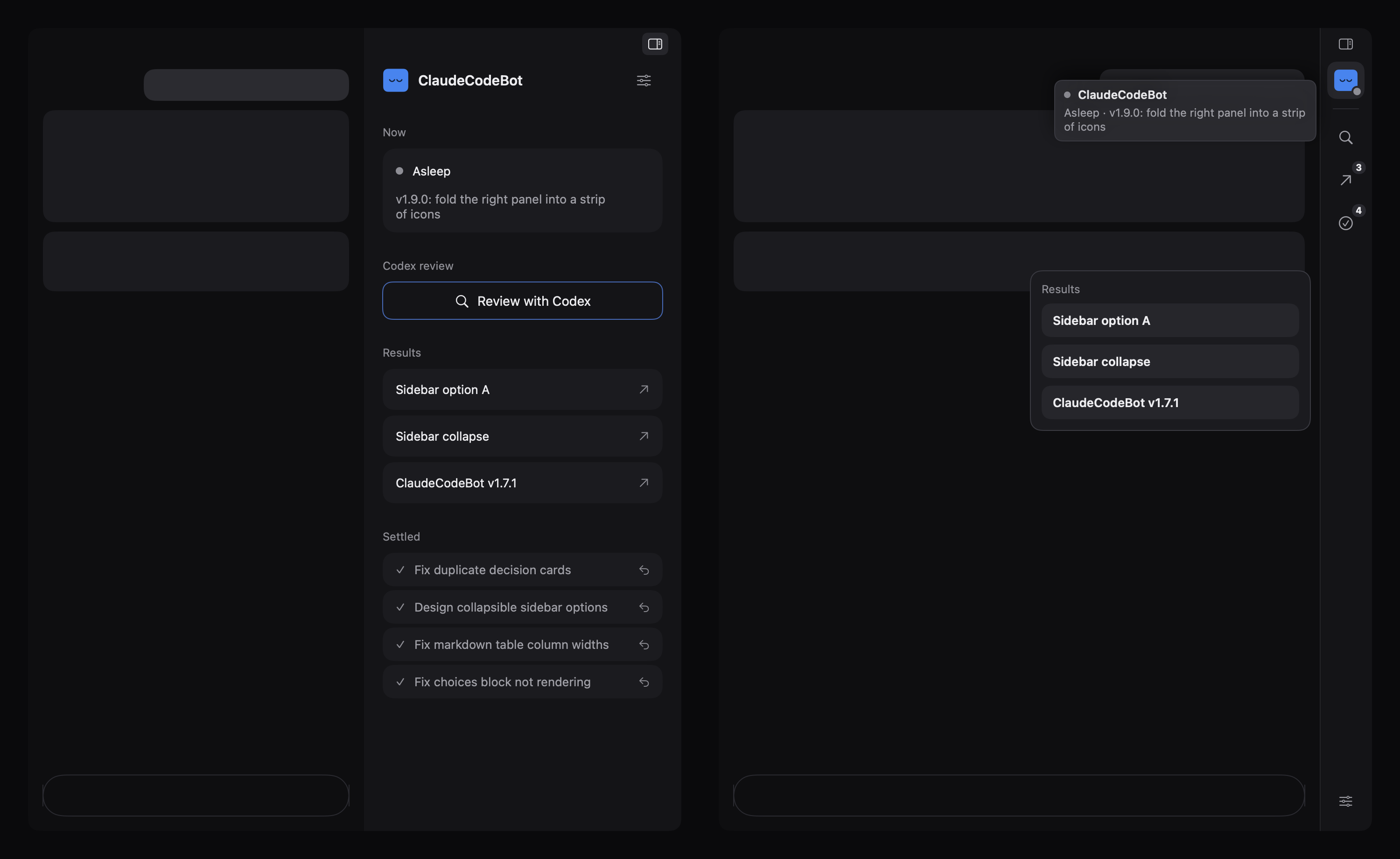
Panels that fold
The left column into a strip of faces, the right panel into icons.
Claude and Codex in one bot
A bot can run on Claude, on Codex, or both at once as two heads. The heads can hand work to each other, and Codex work runs in app-managed workers while you keep chatting. Both engines share the same memory.md.
Answer with
Pick Claude, Codex or Both above the input box; the choice is saved per bot. A message starting with @claude, @codex or @both overrides it for that message only.
Cute characters
Claude and Codex appear as small animated characters wearing the bot's face, with awake, working, waiting and sleepy states. Switch between Cute and Original in Settings, and set the chat size.
Web bots
Embedded Gemini, ChatGPT, Claude and Grok chats, with several Google accounts for Gemini and pinned conversations. A Capture tool records a web page's traffic to help fix page readers.
Reactions and a unified input dock
Emoji reactions, work status and read heads share the message footer. The input dock brings pinned components, Answer with and multi-bot hand-offs together.
Plugins & components
Plugins change the app itself, VS Code style. A plugin is a folder with an npm package.json whose ccb field declares up to three parts.
Web part
Changes the input box, how messages are drawn, components and right-column panels.
Program part
Runs in a Node plugin host: hooks such as beforeSend, commands, routines, storage.
Claude part
Skills, agents and MCP servers handed to every bot.
Or ask the Maintainer to write one for you; it can also turn one of your own projects into a plugin, asking before it reads the folder. External plugins from git, npm or a zip are installed only after you approve a card listing their source, license, permissions and MCP servers. Secrets go to the macOS keychain.
Requirements
The app is ad-hoc signed, not notarized. The first time, right-click it → Open → Open.
| Needs | Version | |
|---|---|---|
| macOS | 14 Sonoma or later | required |
| Claude Code CLI | 2.1.111 or later, signed in | required: every bot is a claude process |
| Codex CLI | 0.99.0 or later, signed in | optional: for bots that call codex |
| Node.js | any current LTS | recommended: plugins with a program part |
| git | recommended: the plugin library's history |
Settings → Doctor checks both CLIs the way bots find them: version against the minimum, how each is signed in (no tokens spent), and the latest release on npm, with a one-line fix to copy when something is off.
- Download the latest macOS zip from Releases.
- Unzip it and drag the app to
/Applications. - Open it. If the gear at the bottom of the left column has a red dot, open Settings → Doctor and fix what it lists (usually
claude auth login), then say hello to the Main bot.